![FictionExpress-tagline (1).png]](https://info.fictionexpress.com/hs-fs/hubfs/FictionExpress-tagline%20(1).png?height=40&name=FictionExpress-tagline%20(1).png)
How to view it from the teacher panel:
1️⃣ Go to Forum comments
From the main menu in the teacher panel, click on Forum comments.
_page-0001.jpg?width=600&height=281&name=RECURSOS%20CENTRO%20DE%20AYUDA%20(1)_page-0001.jpg)
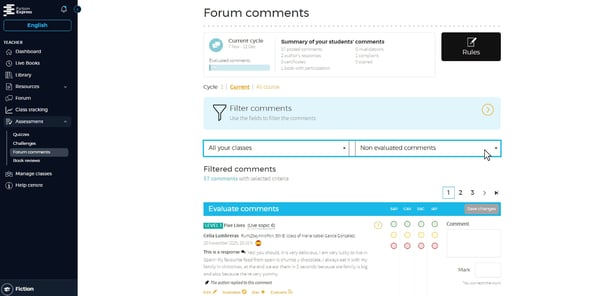
2️⃣ Filter by class and comment status
On this page you can:
-
Filter by class (left column).
-
Filter by comment status (right column).
_page-0003.jpg?width=600&height=371&name=RECURSOS%20CENTRO%20DE%20AYUDA%20(1)_page-0003.jpg)
This allows you to see all comments written by your pupils clearly organised.
👉 If the author has replied, their message will appear below the pupil’s comment, highlighted in bold.
🟠 Only comments from active books (those currently being read) are available.
🔎 Alternative route: use the Responded by author filter
From the same comments panel, you can use the Responded by author filter (under “Filter comments”) to view directly which pupils have received an author reply.
By clicking on the comment, you can see the full forum conversation.
_page-0004.jpg?width=600&height=371&name=RECURSOS%20CENTRO%20DE%20AYUDA%20(1)_page-0004.jpg)
_page-0005.jpg?width=600&height=371&name=RECURSOS%20CENTRO%20DE%20AYUDA%20(1)_page-0005.jpg)
💡 This option is useful if you want to project the replies in class or discuss them with the group.