![FictionExpress-tagline (1).png]](https://info.fictionexpress.com/hs-fs/hubfs/FictionExpress-tagline%20(1).png?height=40&name=FictionExpress-tagline%20(1).png)
How can pupils view their results?
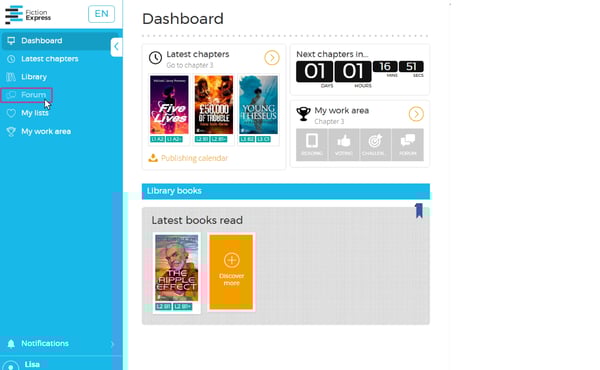
1️⃣ Go to the Forum section
From the main menu on the left-hand side of the platform, pupils must click on Forum.
This will open the page with all active Live Forums.
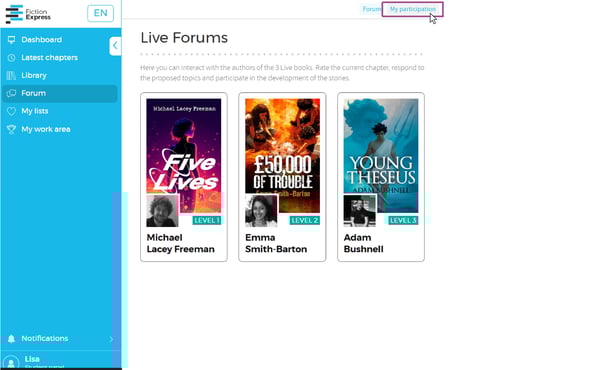
2️⃣ Click on My participation
At the top right of the Forum page, pupils will find a button labelled My participation.
This section gathers all the contributions they have made to the Live books of the current cycle.
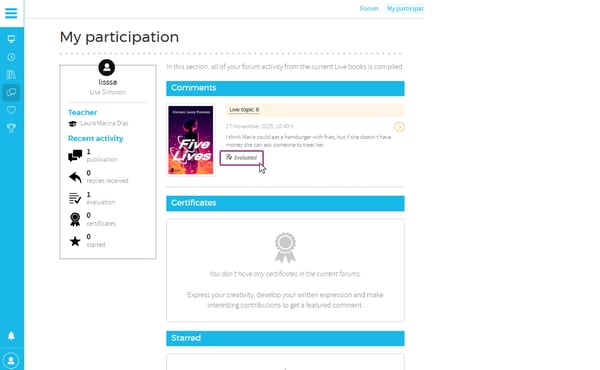
3️⃣ View their forum comments
Inside My participation, pupils will see:
-
All the comments they have written in the book forum.
-
Whether each comment has been evaluated or is still pending
-
Their recent forum activity
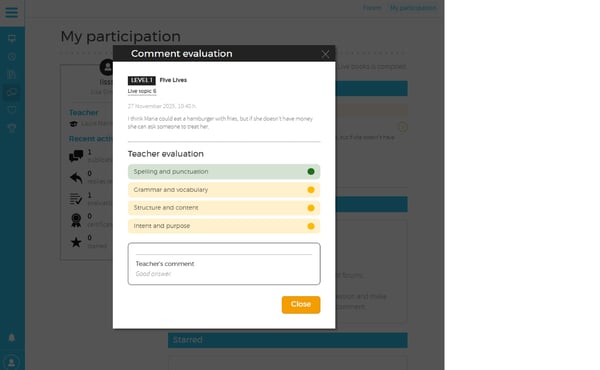
3️⃣ Open the teacher’s correction
By clicking the Evaluated button, pupils can see:
✔️ The teacher’s traffic-light rubric
✔️ The colour-coded marks
✔️ The teacher’s written feedback
This allows pupils to understand their strengths and the aspects they can improve in their writing.