![FictionExpress-tagline (1).png]](https://info.fictionexpress.com/hs-fs/hubfs/FictionExpress-tagline%20(1).png?height=40&name=FictionExpress-tagline%20(1).png)
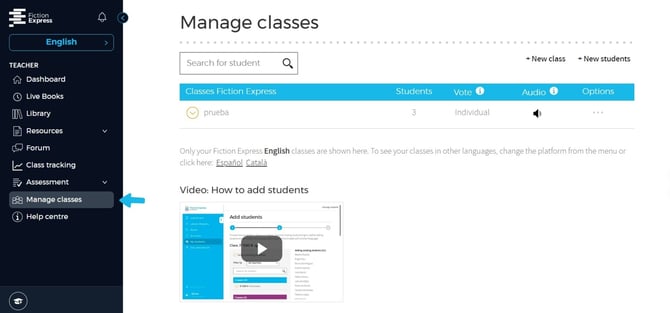
📍 Step 1: Go to “Manage classes”
From the Teacher Panel, select the option [Manage classes].
📍 Step 2: Select the class
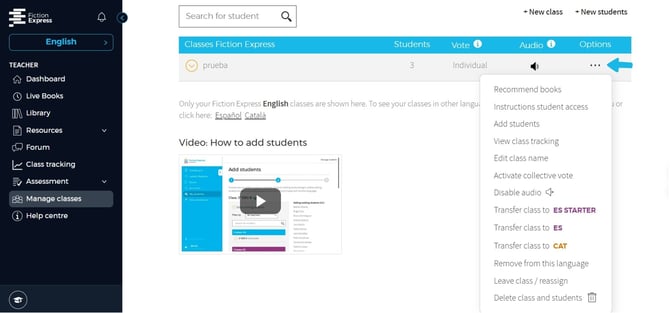
Within Manage classes, you will see all the classes assigned to you.
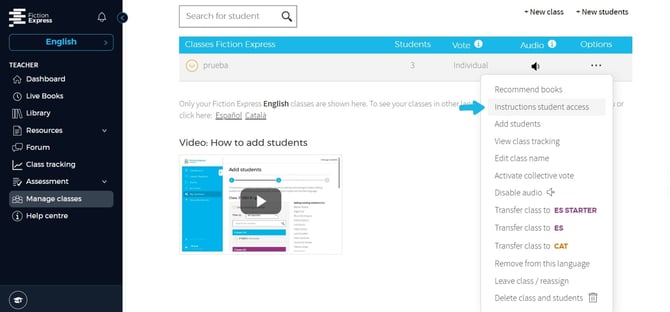
Click on the three dots of the class for which you want to obtain the access details and select the option [Instructions student access].
📥 How can I download the access details?
You can download student access details in two formats:
- Printable PDF
- Excel file
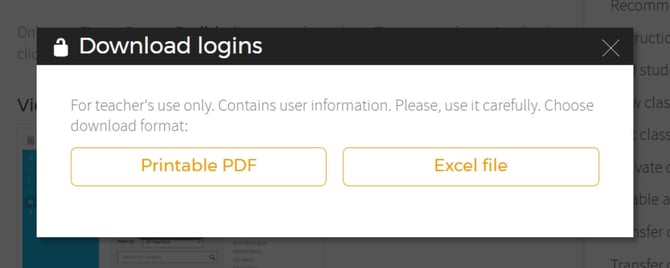
The PDF includes the credentials ready to print or hand out to students.
📊 Excel
The Excel file allows you to view and manage usernames and passwords more flexibly.