![FictionExpress-tagline (1).png]](https://info.fictionexpress.com/hs-fs/hubfs/FictionExpress-tagline%20(1).png?height=40&name=FictionExpress-tagline%20(1).png)
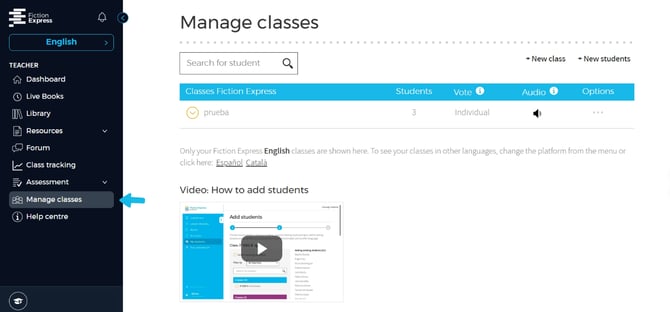
📍 Step 1: In the menu, go to [Manage classes].
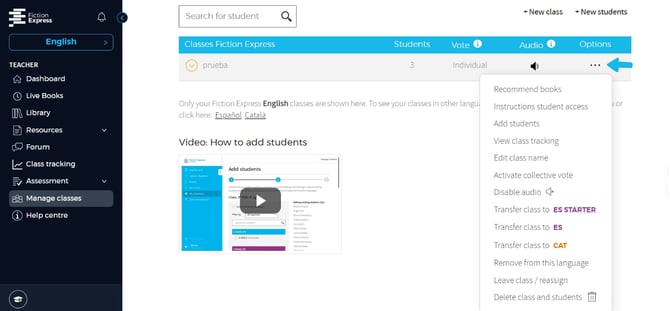
📍 Step 2: In the class you want to modify, click on the three dots under [Options].
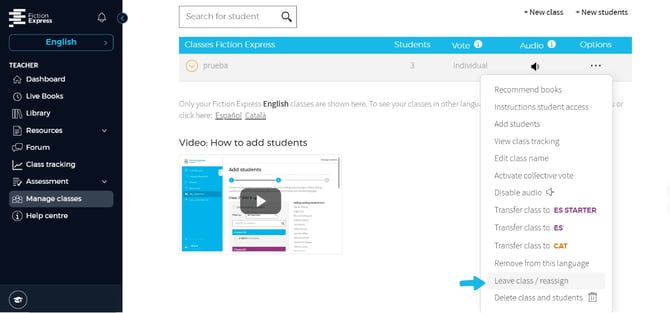
📍 Step 3: Select the option [Leave class/Reassign].
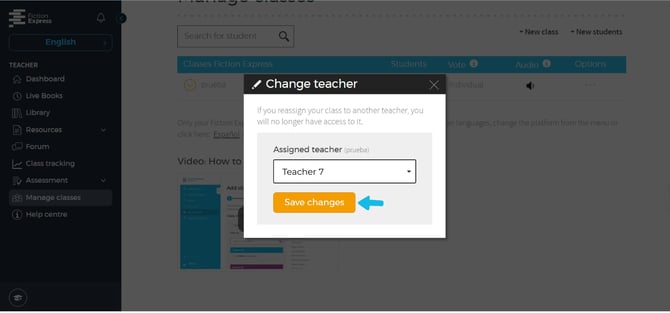
📍 Step 4: In the pop-up window, open the [Assigned teacher] list.
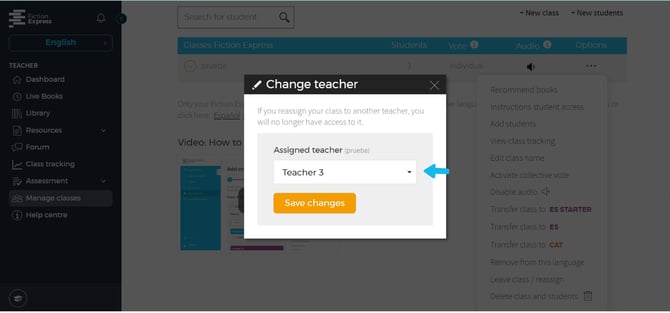
Select the teacher you want to assign to the class or the option [No teacher] if you want to leave the class unassigned.
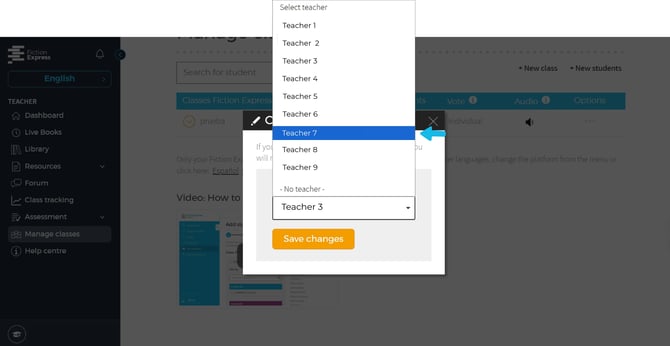
📍 Step 5: Click on [Save changes].